How to get your restaurant on Google Maps in Christchurch
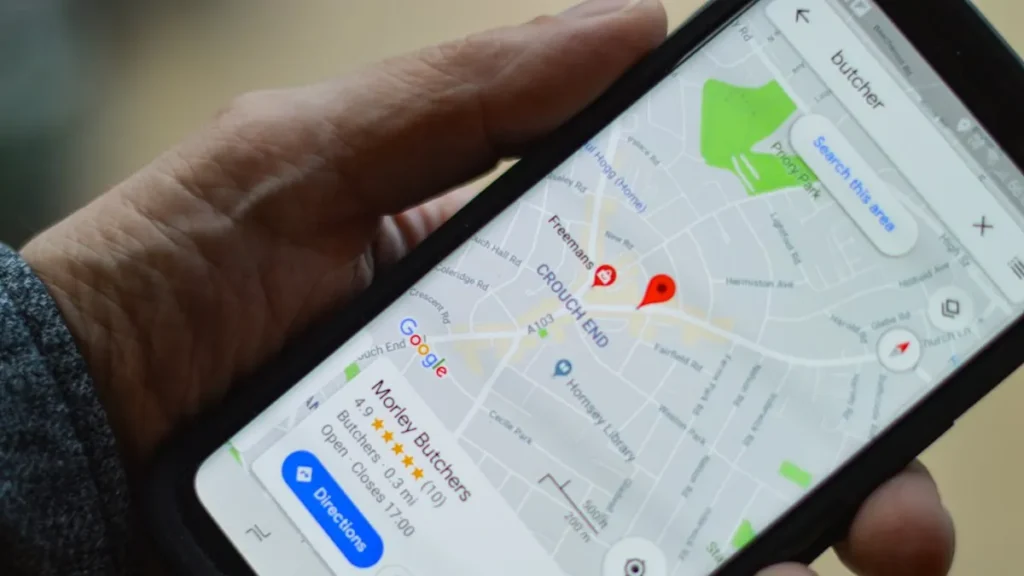
When someone in Christchurch searches “pizza near me” or “best café Riccarton”, Google Maps shows a short list of places. Here’s how to get your restaurant on that list, step by step, using a free Google Business Profile.
What is a Google Business Profile?
A Google Business Profile is your free listing on Google Search and Google Maps. It shows your name, address, phone number, opening hours, photos, menu and reviews. For many customers, it’s the first thing they see about your restaurant, before they ever reach your website.
If you’ve ever searched for a restaurant and seen a box with a map, star rating and “Directions” button, that’s a Business Profile.
Step 1: Check if you’re already on Google
Your restaurant might already be on Google Maps, even if you never set it up. Customers or Google can add places.
- Open Google Maps and search for your restaurant’s name and “Christchurch”.
- If you find it, select it and look for Claim this business, then choose Manage now.
- If someone else has already verified it, you can request ownership from the current owner.
These steps come from Google’s own help page on adding or claiming a profile.
Step 2: Add your business (if it’s not there)
- Go to business.google.com/add and sign in with a Google account you’ll keep using. A business email is best.
- Choose Add your business to Google.
- Enter your business name exactly as it appears on your sign. Don’t add extra words like “Best Pizza Christchurch”. Google’s guidelines don’t allow it, and it can get your profile suspended.
- Pick the most accurate main category, for example “Indian restaurant”, “Fish and chips takeaway” or “Café”.
- Add your real street address. Google doesn’t accept PO boxes. If you’re a food truck or only deliver, you can show a service area and hide your address.
- Add your phone number and your website.
Step 3: Verify your business
Google needs to check that you really run the business. Depending on your business, it may offer one or more of these verification options:
- a phone call or text message with a code
- an email
- a video recording or a live video call showing your location
- a postcard with a code, sent to your address
You can’t always choose the method. Google says reviews can take up to 5 business days, and sometimes longer. If you get a postcard, don’t change your business name, address or category while you wait, or you may need to start again.
Step 4: Complete every part of your profile
A complete profile gives Google, and your customers, more reasons to choose you. Google’s guide for restaurants suggests adding:
- Opening hours, plus separate hours for takeaway, delivery or pick-up, and special hours for public holidays.
- Your menu, with sections, dishes, descriptions and prices. You can also add a link to the menu page on your website.
- Photos of your food, inside and outside. Outside photos help people recognise your shop when they arrive.
- Ordering and bookings, if you take online orders or reservations.
- Attributes, such as dine-in, takeaway, wheelchair access or outdoor seating.
Keep your hours up to date. Christchurch has plenty of public holidays and school holidays where hours change, and wrong hours lead to annoyed customers and bad reviews.
Step 5: Get more (real) reviews
Reviews matter. People read them before they choose, and they help your profile stand out. The best way to get more is simply to ask happy customers:
- Add a QR code linking to your review page on the counter or on receipts.
- Share your review link on Facebook and in WhatsApp replies.
- Reply to every review, good or bad, politely and quickly.
Never pay for reviews, offer discounts in exchange for them or write fake ones. Google’s fake engagement policy doesn’t allow it, and it can remove reviews or restrict your profile.
Step 6: Link your profile to a proper website
Your Google profile and your website work best together. Your profile gets people’s attention. Your website gives them the full menu, photos and an easy way to call, message or order.
Make sure the name, address and phone number on your website match your Google profile exactly. It helps Google trust that they’re the same business.
No website yet? Read why your takeaway needs its own website, not just Facebook.
Step 7: Keep it active
- Post specials, new dishes or events on your profile.
- Add new photos every few weeks.
- Check your profile’s performance to see how many people searched for you, asked for directions or called.
Want help?
We help Christchurch businesses set up and improve their Google Business Profile as part of our local SEO service. And until 15 November 2026, Christchurch restaurants, cafés and takeaways can get a website for $89 + GST, one-time.
Quick checklist
- Claim or add your profile at business.google.com
- Use your real business name and address
- Verify your business
- Add hours, menu, photos and attributes
- Ask happy customers for reviews, and reply to them
- Link to a website with matching details
- Post updates and keep hours current